Education
Rent a VR Headset
Do you want to rent headsets for a VR lesson or for an open day? Then you have come to the right place!
Do you want to rent headsets for a VR lesson or for an open day? Then you have come to the right place!
Get the opportunity to play 65+ of our VR Experience games at your own location! Bring virtual reality to your party, company, school and other events. With our VR solutions, you can create a unique and immersive experience that is perfect for any kind of occasion. Whether you want to upgrade a party, enrich a corporate event, or innovate your school activities, our virtual reality technology offers an exciting and interactive addition that will impress everyone attending.
From active play to relaxed exploring
For both individuals and large groups
Choice of 65+ games!




Rent a complete VR box with all necessities and experience the most exciting virtual adventures together with friends, family, or colleagues! Whether you are organizing a party, company outing or school activity, our VR box offers the perfect solution for an interactive experience. You can rent the box for a period of 1 to 7 days. Want to enjoy the VR games for longer? No problem! Let us know and we will discuss the possibilities together. You can pick up the box on the day of your reservation from 11:00 in the morning and it must then be returned to us on the agreed date at 10:00 in the morning.
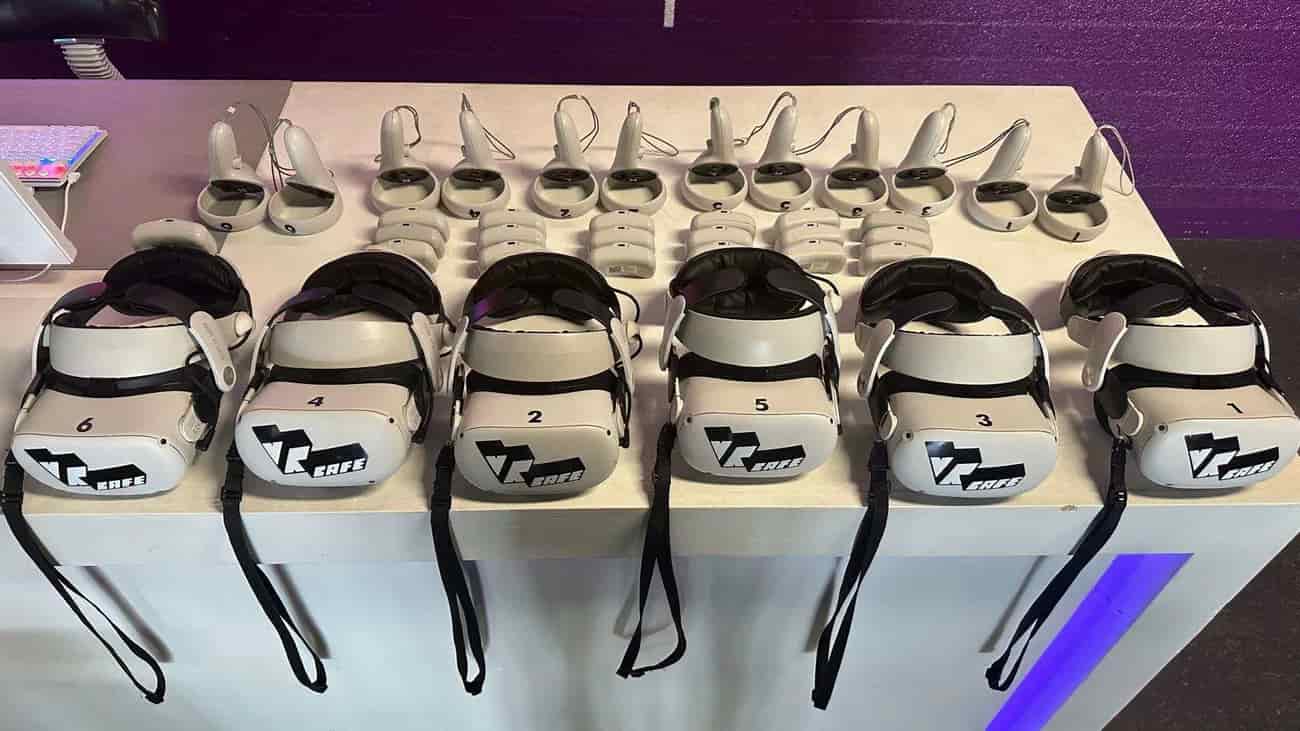
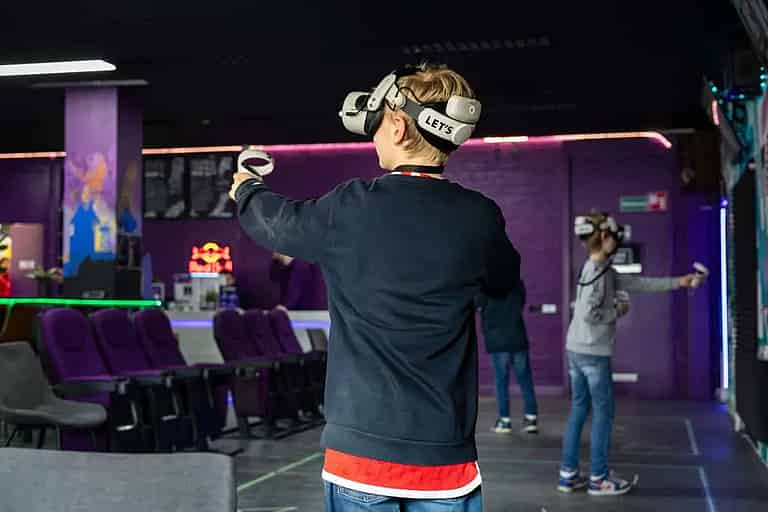
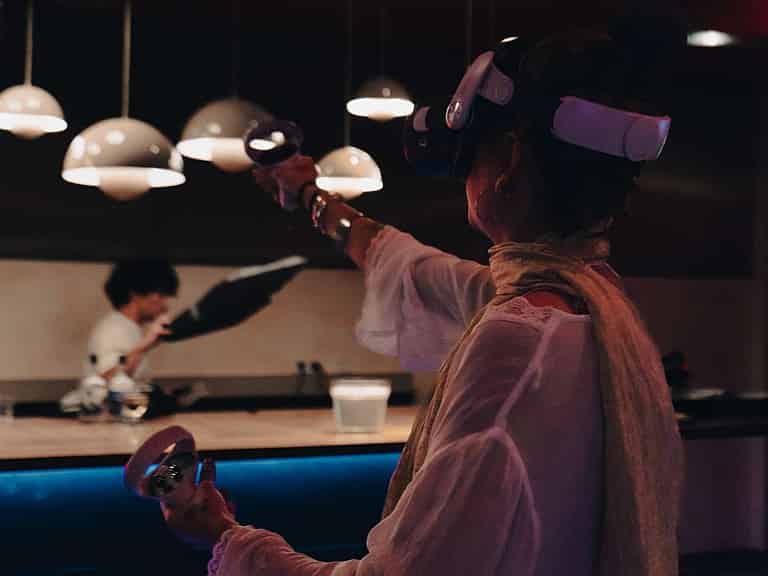
To use the Oculus Quest 2, place it on your head, adjust the straps for comfort, and use the touch controllers to navigate easily in virtual reality.

With a VR headset, you can effortlessly play games without needing a separate PC, fully immersing yourself in a virtual world. All games are inside the headset itself.
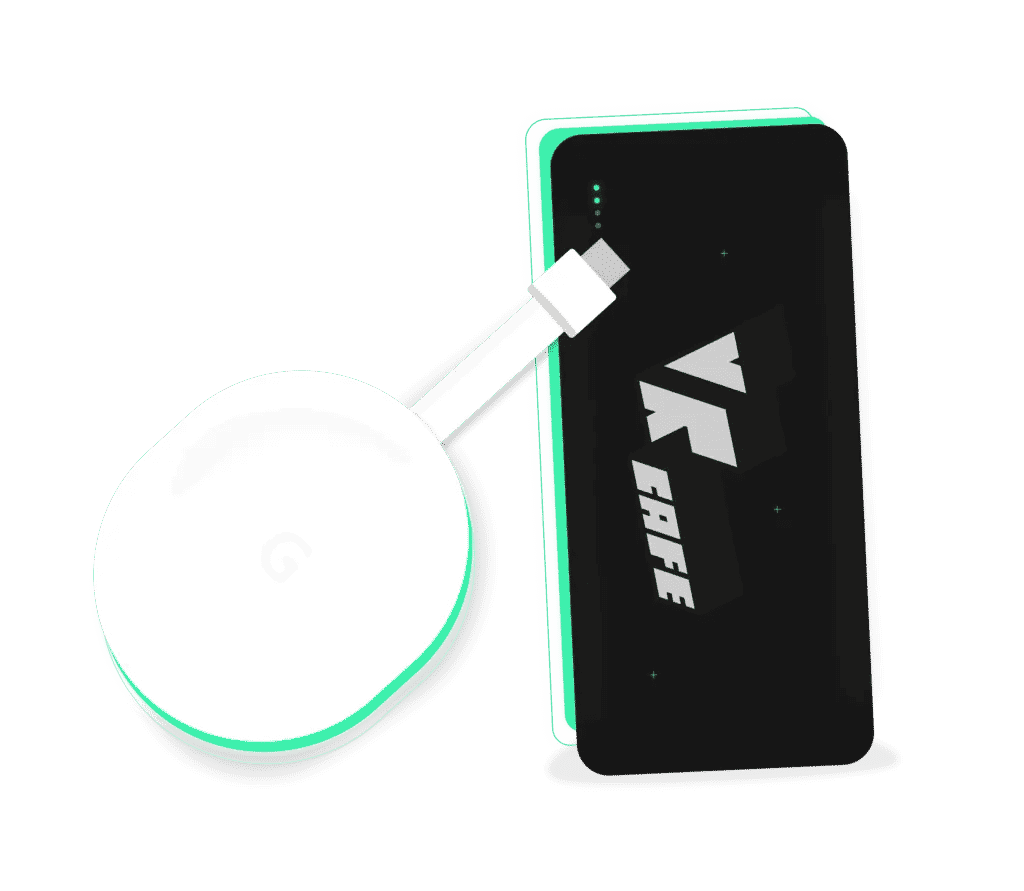
With our power bank, you can enjoy your favorite VR games without worries and without interruptions caused by an empty battery. Whether you are fully immersed in an exciting game or just starting a new adventure, our power bank ensures that you can always keep playing. Rent one with your reservation and do not miss a single moment of your virtual adventure! No Chromecast at home? No worries, you can rent that from us too!
Add a Power Bank and prevent your headset from running out of battery while gaming.
Share your VR experience to your own TV with a Chromecast.
Rent a Monitor to watch along with the VR action.
Power Bank

Chromecast

Screen Only

Chromecast + Screen

Come to VRcafe and experience the cultural possibilities of the CJP Pass, Culture Card and MBO Culture Card! Enjoy a discount on our virtual adventures and make your VR experience even more unforgettable.

5.0
4.8
5.0
Amazing. First VR experience. Good equipment and clear instructions. And well priced.

Eric Bakker
We celebrated our son's (9) birthday party here with his friends from school. Everyone had a great time and it was an extremely fun experience.

Ricardo Verkooijen
I thought it was a wonderful hour to spend with my son. The hour and a half flew by, so next time we'll book longer... the staff were super friendly and helpful. We'll definitely be back!

Fran
We were helped really well by the guy behind the bar last Saturday. My son and his friend had a lovely VR session.

Emile Aben
Incredibly fun outing. Everything works well and just as it should. The owner talks about the games and how it all works with real enthusiasm.

Alex
Dirk, thank you so much for our wonderful date morning. After a good explanation we could start the escape room — what fun that was! We also did some archery, which is honestly surreal with a headset ...

Nikki
We had a really fun afternoon. Everyone was completely enthusiastic about the games and tried all sorts of things. A very suitable activity for a mixed group. The staff were also very friendly and hel ...

Tessa Koomen
I had a great experience! I was there with a friend and neither of us had ever played a VR game before. Luckily that didn't matter at all, because the staff guided us through it really well. Beforehan ...

Chloe Price
Did a team outing last week — it's unbelievable how realistic VR games are these days! Laser gaming and Alice in Wonderland were the top favourites!! …

Kitesurfshop Haarlem
Great place for a team outing! Defending your castle against trolls with a bow and arrow, racing in the Grand Prix or fighting zombies.... our Prindustry team did it all at the Virtual Reality Experie ...

Jolanda van Drie
I recently went to VRcafe with a few friends for the Freeroam experience, and we had an absolutely great time! The staff were super friendly and explained everything clearly, so we could get started r ...

Sander Feitsma
We had a lovely afternoon at the VRcafe. The Alice in Wonderland escape room was great fun and so was the archery game afterwards. Jeroen gave excellent instructions and got us off to a good start. It ...

Saskia Eleveld
The owner was incredibly accommodating when we'd booked the wrong slot. We could simply make up for it another time and still had a really fun day. Right by the station. Friendly staff.

Berry Koning
We had requested VR at our own venue. The team did a very good job. They adapted excellently to the conditions at our location and made sure the children had a fun day.

Jasper
On my son's 9th birthday we popped into the VR café together. They had already warned us that you can get very competitive — well, that's true! Tessa looked after us well, she was very helpful and pat ...

Chantal Riedeman
Had a great kids' party (ages 9/10), highly recommended! Friendly and helpful staff. Everything was explained well and help was available immediately if something didn't work or if they wanted a diffe ...

Patricia
For both of my grandchildren, a 7-year-old girl and an 11-year-old boy, the VR Café was a delightful and adventurous experience. Hats off to the owner, who instructed them in such a way that they coul ...

Angélique de Graaff
Fantastic! For all ages, lazy or sporty, experienced or brand new. We had a huge amount of fun with a few colleagues: playing together, playing alone and playing against each other. The newcomers had ...

Linda Vd Nieuwendijk
Had a great afternoon with my son! Really fun, and very lovely people who guide you well! Shout out to Tom :)

Kiki Vermeulen
We celebrated a kids' party with 5 girls (9 & 10 years old). The girls thought it was fantastic. They played for an hour. That was fine in itself, though they could have kept themselves entertained fo ...

Dana Ungureanu
Tessa and Maurice, we had a really fun experience. It's so impressive that you took the time for every child and turned it into a wonderful party for each of them 😊 thank you for that. …

Wendy Tanahatoe
Thanks to the cool selection of games we had a fantastic immersive VR experience. The action games in VR are seriously awesome, both in teams and against each other. The environments of the rollercoas ...

Quincey van Diermen
Had a really lovely experience, top service! Called VRcafe last minute to ask whether I could rent VR headsets the next day. …

Angel B
We did the Alice in Wonderland VR escape room. Super fun, and Kenneth helped us really well. Partly thanks to his enthusiasm we had a great evening.

Meike Brands
It's so much fun here! In an hour and a half we defended a castle against orcs, worked up a proper sweat playing Beat Saber, and shot at zombies. It all looked lifelike. Gaming in VR really is a speci ...

Sterre Marrée
Fantastic. Did it for a stag party. It was well organised. We came as a big group for 3 hours. We took our time to get the hang of it. Unlimited bar snacks and drinks included. Simply a must. The staf ...

Reinout de Vries
Thank you for the very successful birthday party for our daughter, who turned 12 and came to game with 8 friends. Don and his colleague did a great job with the guidance, and certainly as hosts too, w ...

Chantal van Liefland
I came here with my son, who is really still a bit too young. Thanks to the fun and helpful guidance from the guy who was there, he had a truly great time (and so did I :-)) !

Kees Veerman
Great again! Popped by once more yesterday. Always fun to come here and play! This time we were helped by Kenneth, a very nice gentleman. He helped us brilliantly and whenever we wanted to play a diff ...

Noov
As a mother, for the first time I was able to sit down during a kids' party! And, not entirely unimportant, the children (9 years old) enjoyed it too! (20 kids in total, a whole-class birthday for yea ...

K Dekker
Recently held a kids' party here for my 10-year-old son with 6 friends. Really fun spot, and flushed but happy faces. Highly recommended!

Ayona Gubbels
Visited for the first time today, 24 December, with the Wubbe family, and what a recommendation!! Super fun to do and we'll definitely be doing it more often. Jeroen is a real star who explains everyt ...

Mark Lauwers
I came here for a small kids' party. None of us had any experience. The children were 7+. We called beforehand to ask for information, and they explained everything in detail …

E G
Went with 4 kids — we had a great time. Friendly and helpful staff! Fun outing

Freek van heck
Cool experience. Played various games for 2 hours with my elderly dad and my brother. Clear instructions, super accessible and well guided by the owner. Recommended!

Niels van Weerdenburg
Had a really fun kids' party with 8-year-old boys. They thought it was absolutely brilliant and gave the party a 10. Mum and dad enjoyed it a lot too, by the way, so definitely recommended for adults ...

Femke Kooistra
Popped by with my son last Father's Day. It was super fun to do! The lady behind the bar helped us well (tips and explanations). Playing Blaston against each other and having a go at Superhot VR were ...

Marco Kramer
Had a very fun afternoon with colleagues at the VR Café. And for almost everyone it was their first VR experience. Laser gaming 3 against 3 is especially fun, but the individual games were great to do ...

Barbara Connect
I recently visited the VR Café, and I have to say it was an experience I won't forget any time soon. From the moment I stepped inside I was surrounded by an atmosphere of excitement and anticipation. ...

Don Zandbergen
Nice staff; we were a bit early but were simply allowed to start earlier, great. Relaxed atmosphere. The boys (10-13 years old) thought it was absolutely fantastic, really very suitable for this age. ...

Kapla TV
Celebrated one of our children's birthdays today and what fun it was! All the boys had a brilliant time! The staff are very helpful, friendly and approachable! Definitely recommended for a kids' party ...

Sab
I came here in the evening with some friends to play laser game — this was my first VR experience! The guys were very helpful and explained everything well, so you quickly understood how the game work ...

Marlieke op de Weegh-Smelt
Wow! How fascinating this was! We came as a group of 9 people, the youngest 8 and the oldest 75 years old. So regardless of age, this was a fantastic experience. We were guided well and the games were ...

Linda van Bruggen
Had a very fun kids' party. Our kids were maybe a bit young (8 years old) but they had a tremendous time. They loved the VR Experience games, and while waiting for their turn they could keep themselve ...

Claart Wild
Nice way to get to know VR. We went with 17 people. It was possible to rent a VIP package, which meant we could use everything. Great for teenagers too. Everything was explained well, the space is …

Berend Jan van Bruggen
Had a really lovely time with the family. Fun games, good equipment and friendly, patient staff. We got a great explanation, after which we played to our heart's content. …

Fantoystic !
We'd already been to the VR cafe a number of times before covid. And every single time it's a fantastic experience. Friendly, experienced staff and really fun games. Guaranteed loads of laughs. …

Marieke Mulder
I came here as a birthday present for my 11-year-old nephew and we both thought it was great. Really fun games you can play both together and on your own; I'll definitely be going back with a group of ...

Danny wormgoor
Very friendly staff. Great to experience, clear instructions for hours of playing fun. A huge choice of games and videos, including for younger children. The price is reasonable too. We had a lot of f ...

Deborah Valkhof
Wow, what an experience!! We were helped well and I think the guy who was so friendly was called Kennet. Really recommended to do with a group of friends. Truly something unique to do in the city of H ...

Js
Popped by yesterday with two friends and had a great experience. I'm not really a gamer myself, but even so it was a lot of fun. The different kinds of games make it enjoyable for everyone! On top of ...

Mickie Rijnsburger
Super fun outing for the family. Instructor Jeroen is enormously kind, helpful and knowledgeable. We had a really lovely time!

Barbara van de Pol
An insanely fun experience for the two 7-year-old boys I brought along! It was explained clearly what they had to do and they had plenty of time to discover several games. Great service!

Anouk van de Stadt
Virtual reality is not only fun, but also educational!
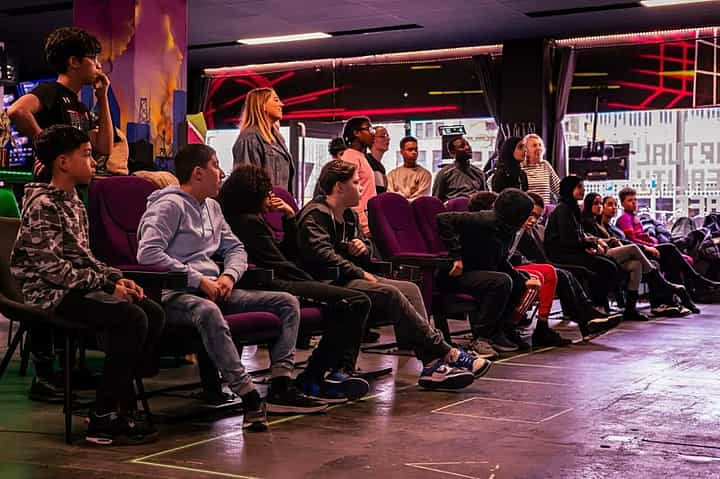
Experience an unforgettable VR school trip full of adventure and fun!
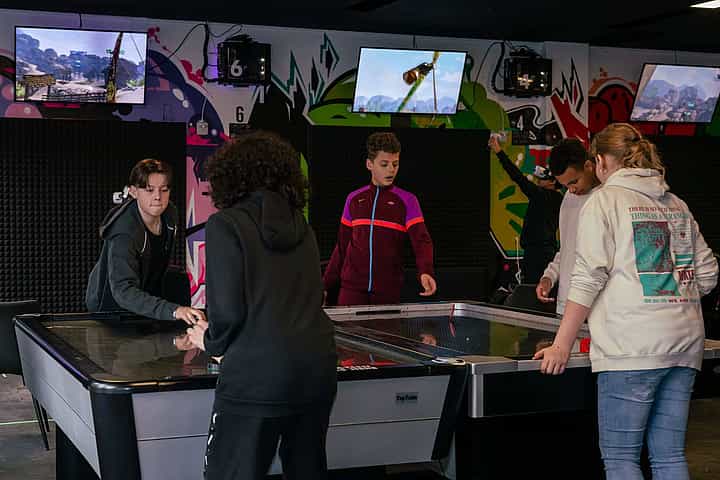
Bring virtual reality to your school with our VR on-location education!
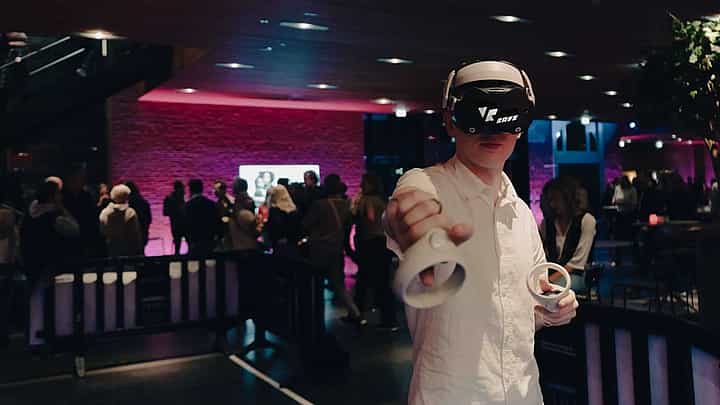
Escape the daily routine and dive into a world full of adventure and fun!